ProcedureHow SURVIVODRIVE works: an offline library and AI on any computer, in three steps
Plug in. Double-click. Read. The rest is the drive's problem.
Starting the drive
- 01
Plug it in
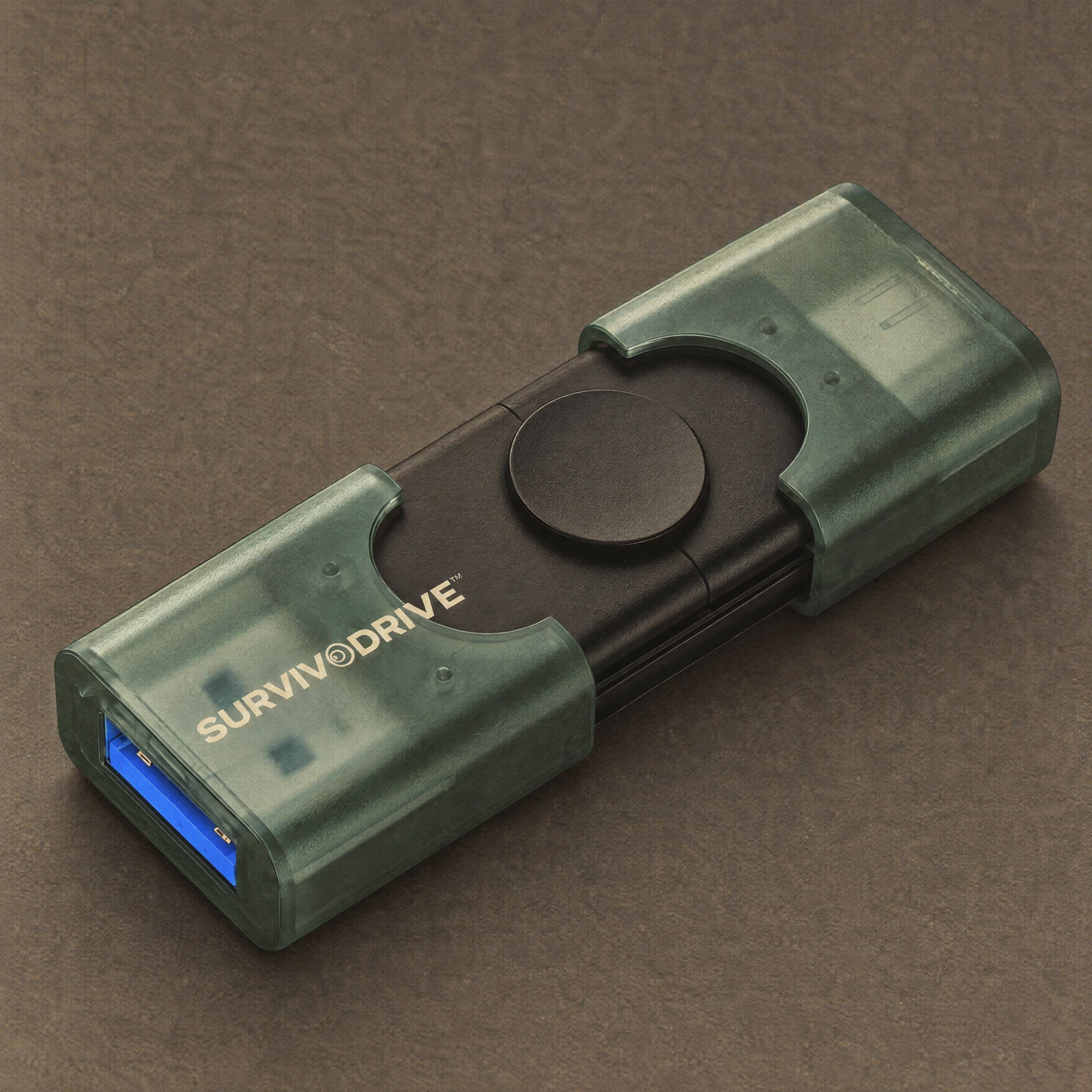
USB-A at one end, USB-C at the other: slide the cap to choose. If a phone or tablet only has USB-C, it fits that too.
- 02
Double-click one file
START-WINDOWS on Windows. START-MAC on a Mac. sh start-linux.sh on Linux or a Raspberry Pi. Nothing is installed and nothing is changed on the computer. A small window opens, starts the library and picks the AI model that suits the computer’s memory.
- 03
Read in any browser
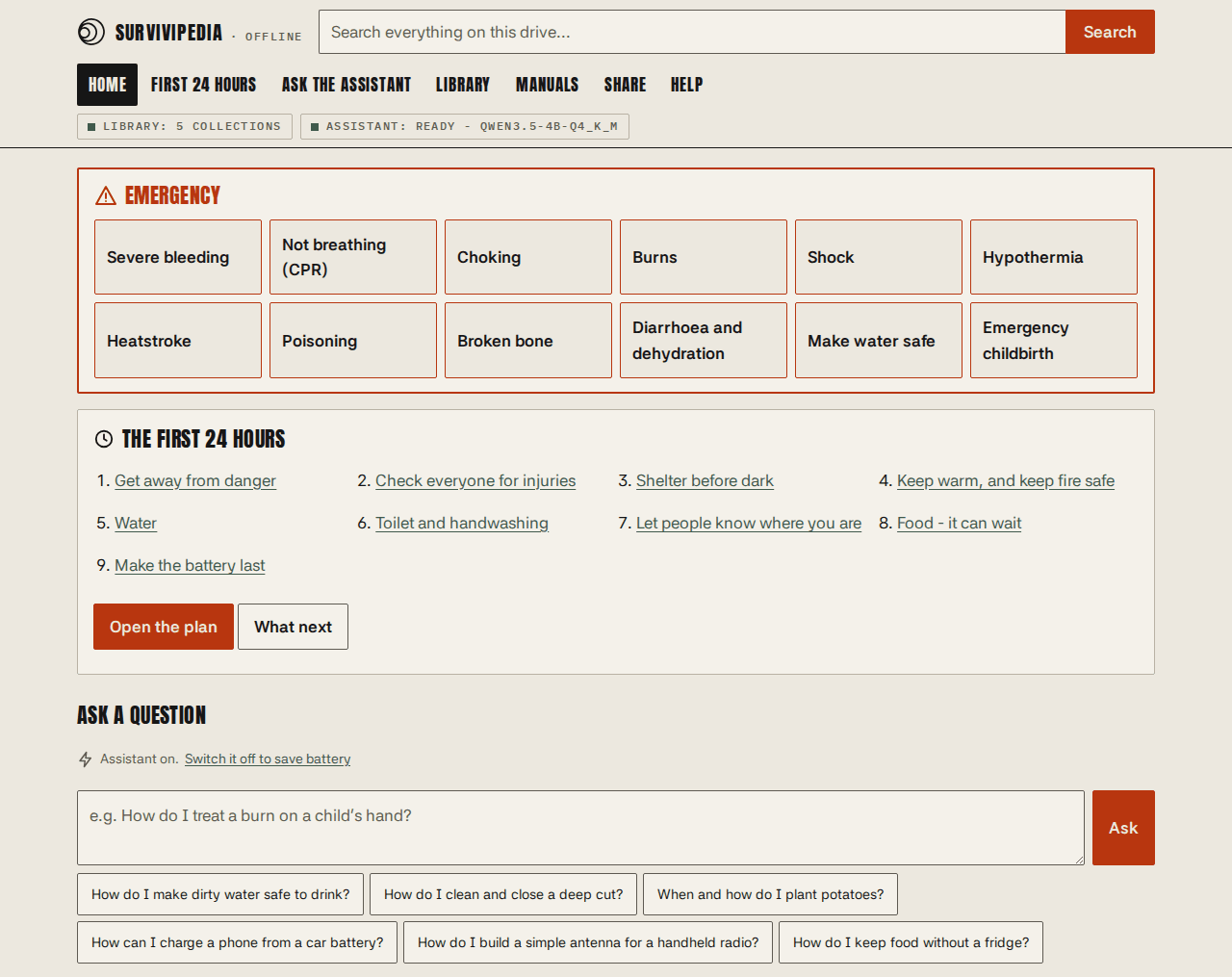
Survivipedia opens in the browser: emergency cards, a first-24-hours plan, search across everything, the library, the manuals, the map and the assistant. Keep the small window open. Close it to stop, then eject.
Survivipedia
The drive’s home screen puts the urgent things first: twelve emergency cards that work without the AI (bleeding, CPR, choking, burns, shock, hypothermia, heatstroke, poisoning, broken bones, dehydration, safe water, childbirth), then the first-24-hours plan, then a box to ask a question.
- Search every collection at once
- Browse the library by topic
- Field manuals as PDFs, with page ranges
- Zoomable offline map of your region
- Share page with a QR code
What it runs on
One drive carries the library server and AI engine for every platform. It works out which one it is plugged into.
| Device | How to start | Library | Assistant |
|---|---|---|---|
| Windows 10 and 11 (Intel / AMD) | Double-click START-WINDOWS | Yes | Yes, uses any GPU with a driver |
| Windows 11 on ARM | Double-click START-WINDOWS | Yes | Yes |
| Mac, Apple silicon | Double-click START-MAC | Yes | Yes, on the Metal GPU |
| Mac, Intel | Double-click START-MAC | Yes | Yes, macOS 13.3 or newer |
| Linux PC, Raspberry Pi 4 / 5 | sh start-linux.sh | Yes | Yes |
| Older 32-bit Linux, Pi Zero | sh start-linux.sh | Yes | Library only |
| Phones, tablets, smart TVs | Scan the QR code on the Share page | Yes, over Wi-Fi | Yes, over Wi-Fi |
| Android, no computer | Kiwix + PocketPal AI apps from the ANDROID folder | Yes | Yes, as a chat app |
| Anything that opens a PDF | The EMERGENCY folder | Key guides | No |
The Assistant
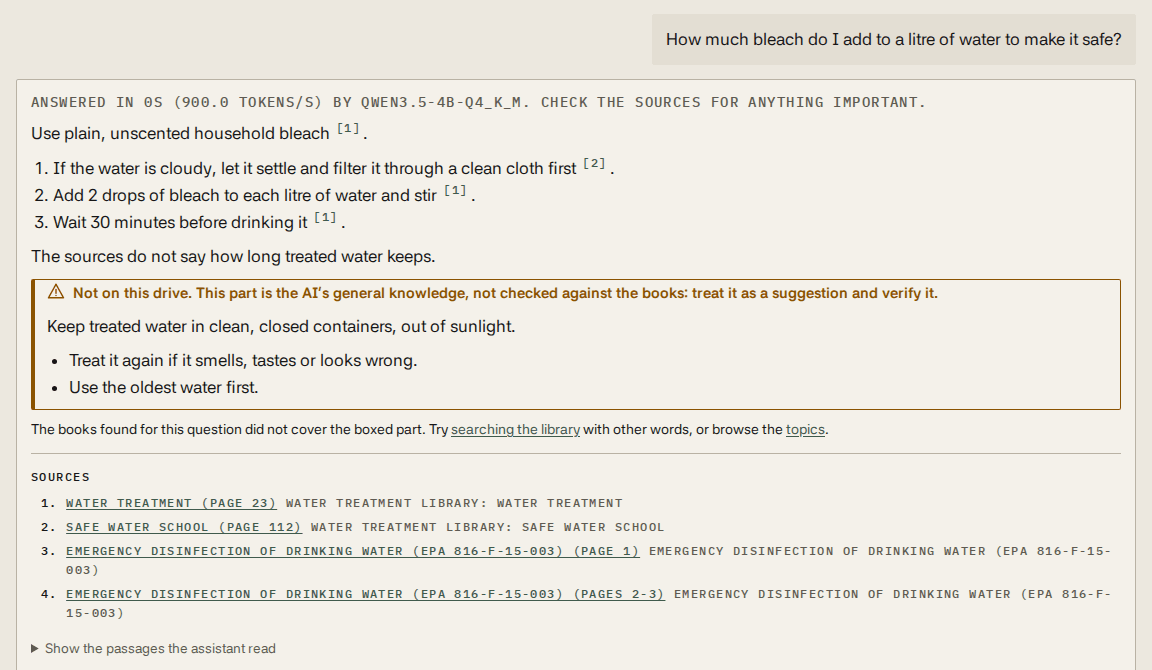
Answers from the books, with its sources showing. Seven steps, every time.
- 01
Read the question
Filler words go; the topic is guessed from vocabulary lists for medicine, water, food, shelter, power, radio, repair and survival.
- 02
Search the whole drive
Three versions of the query, each across every English collection and the topic’s own books.
- 03
Rank the results
Merged by reciprocal-rank fusion, favouring title matches, the topic’s books and the curated manuals.
- 04
Pull the passages
The best blocks from the top pages, about 230 words from each of four sources, each headed with its section so a dose always says which product it is for.
- 05
Answer from them only
The model is told to answer only from those numbered sources and cite them like [1]. Each marker opens the original page.
- 06
Or say so
If the passages don’t cover it, the reply is “Not on this drive.” Any general-knowledge suggestion sits in a box marked unverified.
- 07
Check the numbers
Every number outside that box is compared with the sources. One that appears in none of them is underlined and flagged.
Models
| Model | Memory | Laptop / Apple silicon |
|---|---|---|
| Qwen3.5 2B | 4 GB | 15–30 s / under 10 s |
| Qwen3.5 4B | 6 GB | 30–60 s / about 10 s |
| Qwen3.5 9B | 16 GB | 1–2 min / 15–20 s |
| Qwen3.5 35B-A3B | 32 GB | 30–60 s / 15 s |
Test record
12/13
Questions with known answers in the latest automated run of the default model: boiling times, bleach drops, children’s and adults’ doses, and questions the drive cannot answer. In every stored run, no model put a number into a sourced answer that its sources lacked.
Low battery mode
Writing answers works a computer hard, so the assistant starts switched off: questions show the matching library pages instead. Press Start the assistant when power is safe. For the least power of all, start the drive with the AI off entirely.
Advisory
It is a small AI. It can misread and sound sure while wrong. For medicine, electricity, gas, chemicals and structures, open the cited source and follow the book. In an emergency, use the quick cards first and get trained help if there is any way to reach it.
Do this now, while everything works
- Start the drive on every computer in the house, so you know it works and how it looks.
- Install Kiwix and PocketPal AI on every phone and tablet from the app store.
- Print the First 24 Hours plan and the first-aid and water guides. Keep the paper with your kit.
- Keep the drive with a USB-C adapter, a power bank and a small solar charger.
- Make a second copy and keep it somewhere else.
Pre-order drop
Plug in. Double-click. Done.
Every computer in the house is now a library.